
This article contains affiliate links. We may earn a commission from qualifying purchases.
As an Amazon Associate I earn from qualifying purchases.
A check engine light can mean anything from an emissions-related fault to a problem that requires immediate attention. An OBD2 scanner helps you move beyond guessing by retrieving information from the vehicle's computers. But a $30-class code reader and a full diagnostic tablet are not interchangeable. Paying for advanced functions makes sense only when those functions work on your vehicle and you know how to use them.
We compare five scanners for different kinds of owners: ANCEL AD310, BlueDriver Pro Next-Gen, TOPDON TopScan Pro, Innova CarScan Pro 5610 and Autel MaxiCOM MK808S. Our recommendations are based on published product documentation, supported functions, ownership costs and practical use cases. We have not independently bench-tested these exact five devices head-to-head. Manufacturer coverage claims are not a guarantee that every listed feature works on every vehicle.
Quick answer: Choose the AD310 for occasional engine-code checks, BlueDriver if you prefer phone-based diagnostics without an advertised recurring app fee, TopScan Pro for compatible active testing on a phone, the Innova 5610 for advanced standalone handheld work, or the MK808S for a dedicated workshop tablet. Start by confirming the exact vehicle and function you need.
Affiliate disclosure: As an Amazon Associate, The All Guy earns from qualifying purchases. The Amazon purchase buttons below are affiliate links. Manufacturer links are included for research. Check current pricing, exact hardware variant and software terms before ordering.
Five OBD2 Scanners Compared
Scanner | Format | Diagnostic scope | Active tests | Software fees |
|---|---|---|---|---|
ANCEL AD310 | Wired handheld | Generic engine and emissions diagnostics | No general bidirectional controls | No app subscription |
BlueDriver Pro Next-Gen | Bluetooth adapter and phone app | Generic OBD2 plus supported enhanced modules | Not selected for active testing | No subscription advertised |
TOPDON TopScan Pro | Bluetooth adapter and phone app | Supported vehicle systems and service routines | Yes, vehicle-dependent | One year included; $99/year listed renewal |
Innova CarScan Pro 5610 | Wired handheld with optional app resources | Supported enhanced systems and live data | Yes, vehicle-dependent | No subscription or update fees advertised |
Autel MaxiCOM MK808S | Dedicated wired tablet | Supported multi-system diagnostics and maintenance routines | Yes, vehicle-dependent | Verify included updates and renewal terms |
Generic OBD2 communication is primarily designed for emissions-related information. An enhanced scanner may also communicate with anti-lock braking, airbag, transmission or body modules using manufacturer-specific protocols. Do not assume that the presence of a familiar 16-pin connector guarantees access to every computer.
Quick Picks: Choose the Right Diagnostic Tool
5 OBD2 SCANNERS COMPARED
From basic engine codes to supported active tests and workshop diagnostics. Confirm exact vehicle coverage.
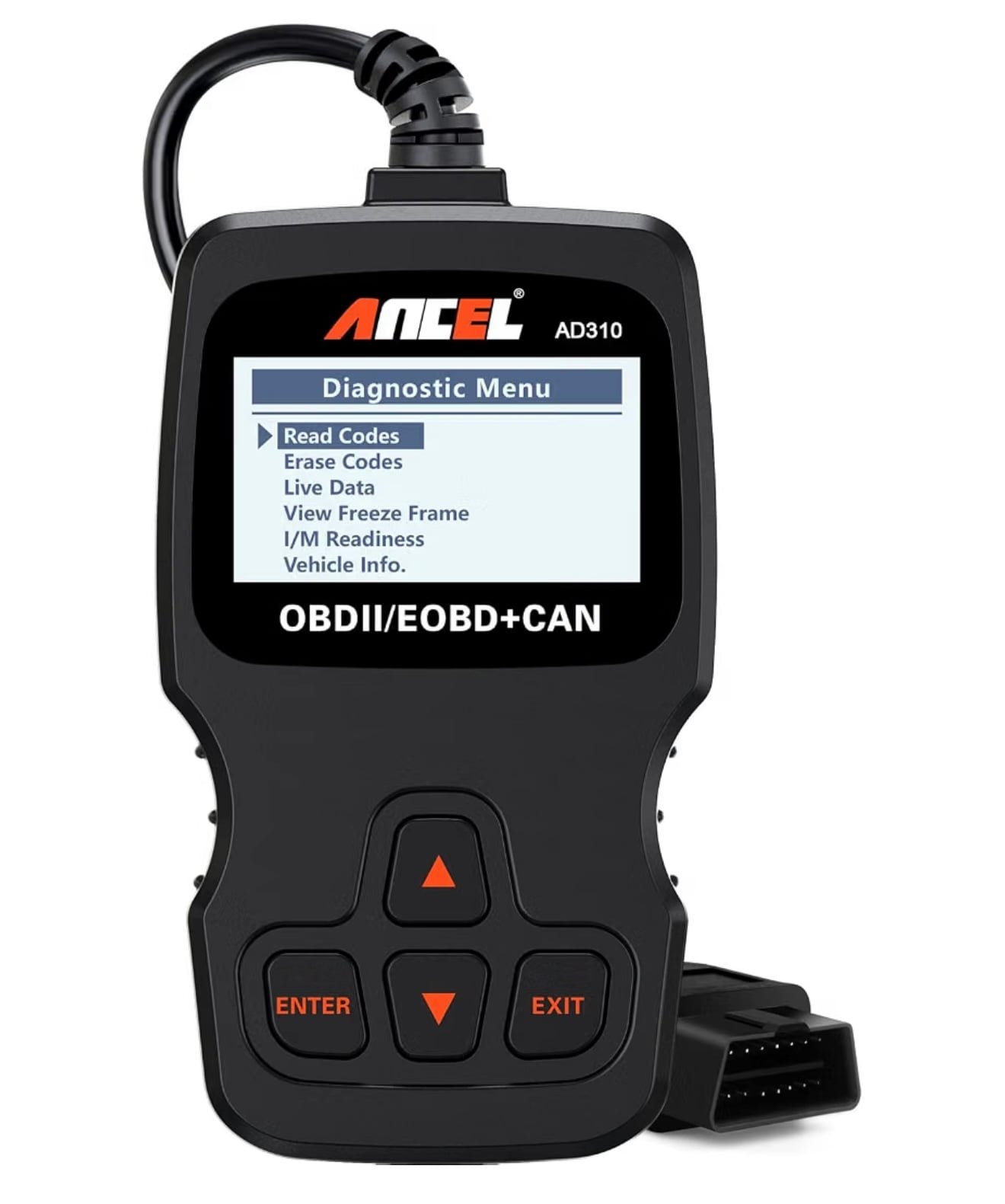
ANCEL AD310
Check on Amazon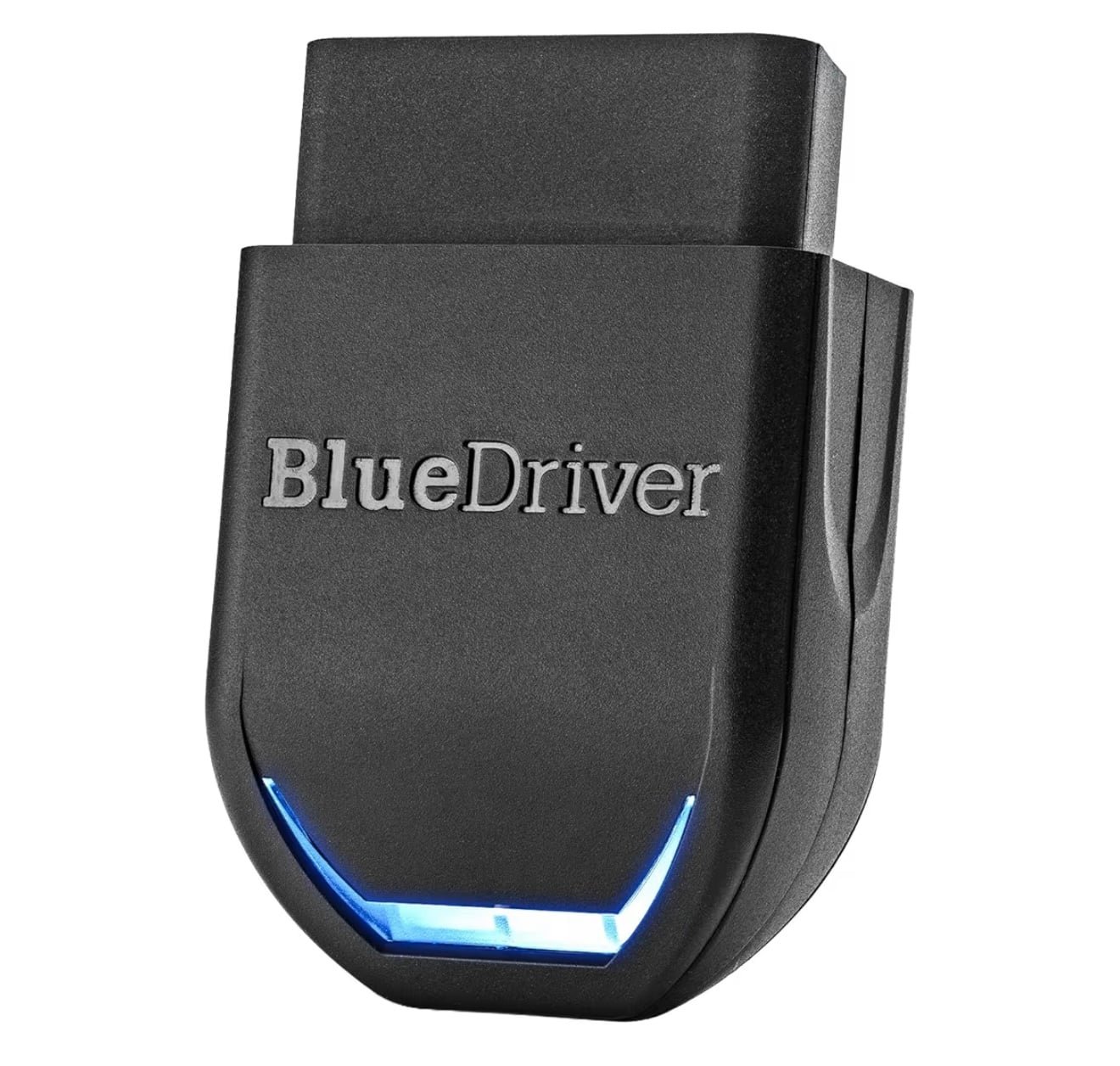
BlueDriver Pro Next-Gen
Check on Amazon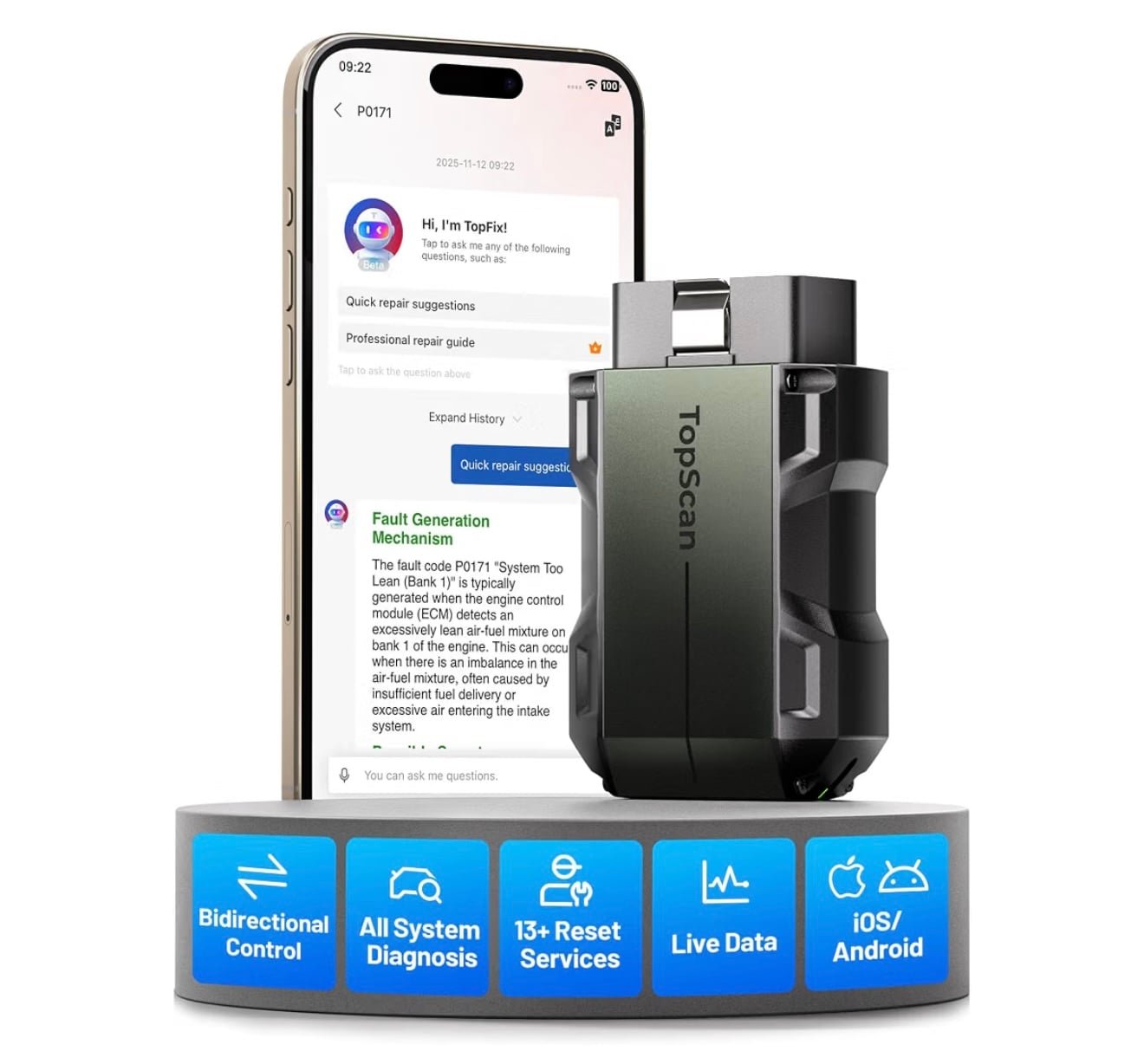
TOPDON TopScan Pro
Check on Amazon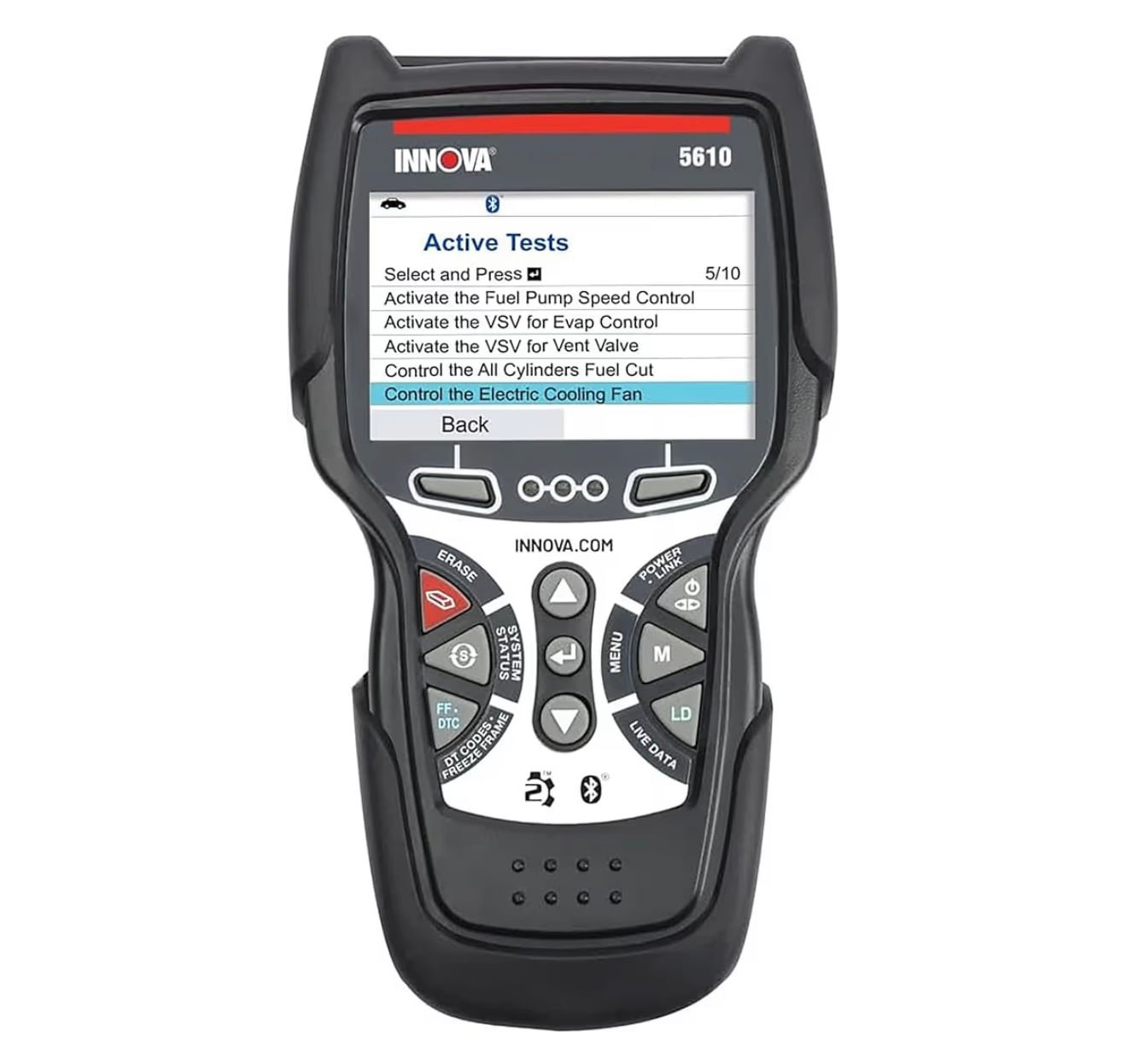
Innova CarScan Pro 5610
Check on Amazon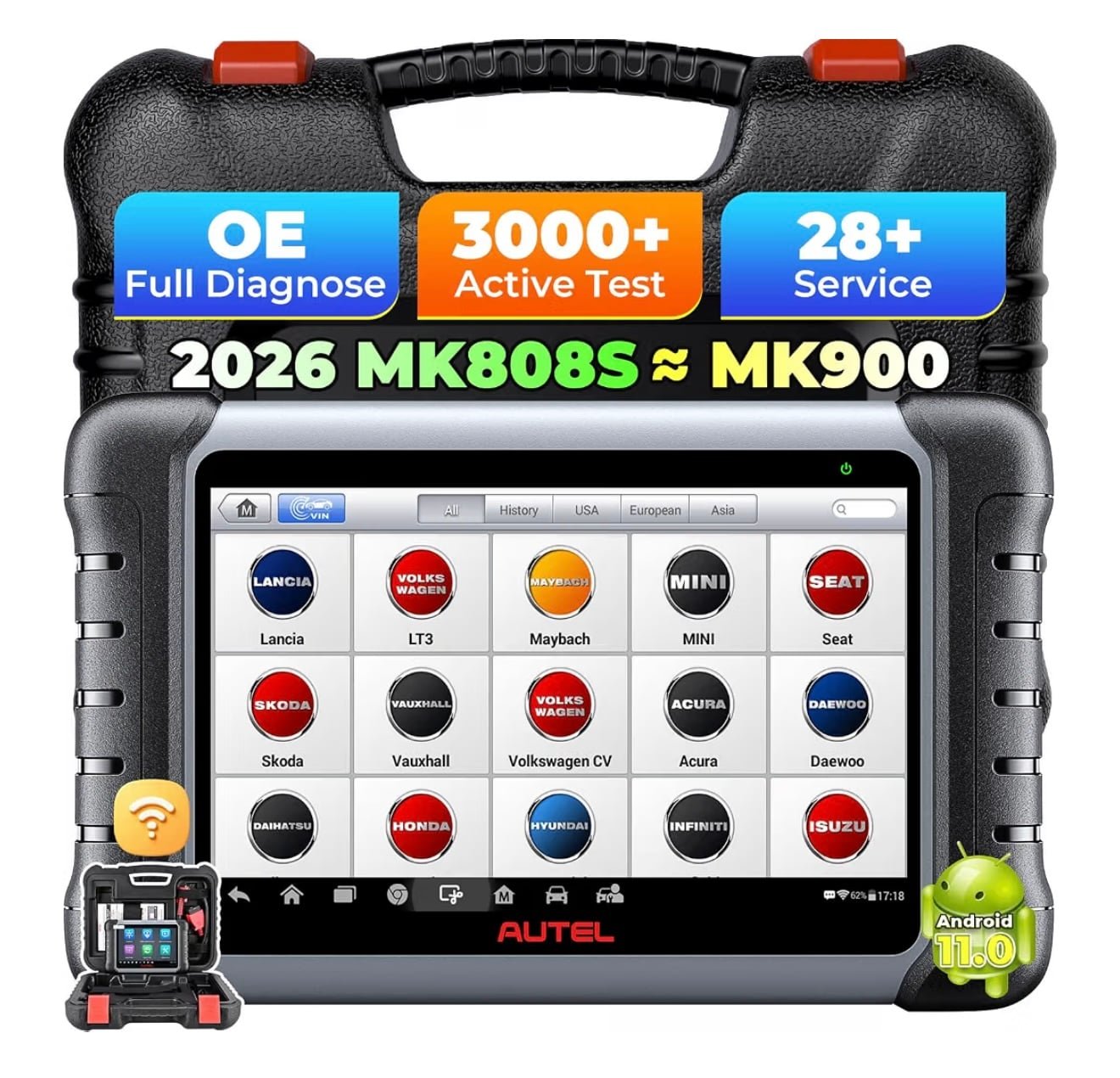
Autel MaxiCOM MK808S
Check on Amazon1. ANCEL AD310: Best Budget Code Reader
The AD310 is a practical first scanner for someone who mainly wants to understand why the check engine light appeared. Its vehicle-powered cable and built-in LCD eliminate the need for a phone, account or separate charging routine. ANCEL documents generic and supported manufacturer-specific engine codes, live readings, stored fault snapshots and emissions monitor status.
This is a particularly useful option for a glove box or a simple home garage. You can retrieve a code, record the circumstances and decide whether further diagnosis is warranted. For example, a lean-mixture code could direct your attention toward air leaks, fuel delivery or sensor information. The code alone cannot establish which component failed.
The most important limitation is scope. Do not purchase this model expecting a full ABS, airbag or body-module scan. It is also not a universal heavy-truck or hybrid diagnostic device. ANCEL's own listing limits its stated vehicle support to compatible 12V gasoline and diesel vehicles, excluding hybrids and electric vehicles. Check the exact vehicle rather than relying on the model year alone.
Who should buy it: Drivers who want a simple, inexpensive way to retrieve engine-related diagnostic information and check readiness status without paying for sophisticated capabilities they may never use.
Who should skip it: Anyone who specifically needs module-specific faults, component commands, battery registration or other manufacturer service routines. Saving money on a reader that cannot perform your required task is not a saving.
Research reference: ANCEL AD310 manufacturer information.
2. BlueDriver Pro Next-Gen: Best Subscription-Free Bluetooth Scanner
BlueDriver is designed for drivers who prefer a phone interface rather than a small handheld display. The adapter communicates with its companion app, where supported fault information and repair references can be easier to organize. The Next-Gen variant is distinct from the original Pro; confirm the actual packaging and compatibility information for the linked model.
The appeal is not merely wireless connectivity. Repair reports can provide context for a trouble code and help prioritize investigation. Treat those suggestions as leads rather than proof. A report that identifies a commonly associated repair does not replace checking wiring, mechanical condition or the vehicle's actual service information.
BlueDriver advertises a subscription-free experience. That makes it an attractive comparison for a driver who wants to own the tool without a recurring fee for the advertised core offering. However, enhanced module access depends on the exact vehicle and supported functions. Phone operating-system compatibility, app availability and internet-dependent resources also matter.
The main tradeoff is reliance on another device. A flat phone battery, pairing trouble or changes in app support can interfere with a scan. If you want a self-contained reader for a roadside situation, a wired handheld may be simpler. We would not buy this product primarily for bidirectional controls without explicit documentation of the required function.
Best fit: A family vehicle owner who values easy-to-read reports, convenient wireless connection and no advertised software subscription. Verify enhanced coverage before purchase, particularly on imported, newer or unusual vehicles.
Research reference: BlueDriver Pro Next-Gen manufacturer information.
3. TOPDON TopScan Pro: Best Advanced Wireless Scanner
TopScan Pro serves a different buyer from the basic wireless reader. TOPDON describes the Pro as supporting expanded system diagnostics, component commands and maintenance routines on covered vehicles. It is an attractive format for an experienced DIYer who already carries a compatible phone and wants more diagnostic depth without buying a separate tablet.
A two-way or bidirectional test lets a compatible tool request that a supported component operate, rather than merely reporting information. That can help narrow a fault when the technician understands how the circuit is intended to behave. Not every vehicle exposes the same commands. Do not interpret a long list of functions as proof that a specific pump, solenoid or module can be controlled on your truck.
Ownership cost deserves special attention. TOPDON's US Pro product page listed one year of included updates and a $99 annual renewal when checked in November 2026. Its FAQ notes that advanced capabilities may require a paid subscription after the included period, while some basic functions remain available. Confirm precisely which functions continue without renewal for your region, account and hardware variant before buying.
A buyer who only checks an occasional engine code may be better served by the AD310 or subscription-free BlueDriver. For someone who uses supported service routines repeatedly, the advanced feature set may justify the ongoing cost. Budget for the subscription as part of the purchase rather than discovering it after the first year.
Best fit: Experienced DIYers who have identified specific supported active tests or maintenance functions and prefer a portable phone-based setup. Review the Pro coverage list rather than assuming the Lite, Pro and Master versions have identical capabilities.
Research reference: TOPDON TopScan Pro manufacturer information.
4. Innova CarScan Pro 5610: Best Advanced Handheld Scanner
The Innova 5610 is a strong alternative for an owner who wants a dedicated handheld scanner with more diagnostic depth. Unlike a Bluetooth dongle, its screen and controls are part of the instrument. Innova documents bidirectional capabilities and supported enhanced vehicle diagnostics. The company also advertises no subscription or software update fees.
This combination is useful for buyers who dislike annual software costs but want more than generic powertrain codes. It can be convenient when working in a garage with a phone that is busy displaying service instructions. Optional companion-app resources can supplement the built-in diagnostic interface; confirm their requirements separately.
The 5610 is not a factory-level scan tool for every make. The important question is whether your specific vehicle supports the module, sensor data or command you need. Innova's coverage resources are a better basis for that decision than a broad marketing label such as professional or all systems. Verify the exact year, engine and market.
For a driver who rarely repairs vehicles, the price premium over a simple code reader may be difficult to justify. A capable handheld becomes more reasonable for a multi-vehicle household, an experienced hobbyist or someone who frequently investigates faults before consulting a repair professional.
Best fit: A DIY mechanic seeking advanced supported diagnostics in a standalone handheld without the advertised recurring software fees of some app-based competitors.
Research reference: Innova CarScan Pro 5610 manufacturer information.
5. Autel MaxiCOM MK808S: Best Workshop Tablet Scanner
The MK808S is the dedicated-tablet choice in this comparison. Autel documents a seven-inch touchscreen, live-data graphs, supported multi-module fault retrieval and active tests. Its service capabilities include selected maintenance operations such as battery registration, electronic parking-brake servicing and steering-angle relearn, depending on the vehicle.
A tablet is useful when diagnostic work involves comparing several readings, following guided routines or maintaining scan records. The additional screen area can improve readability. Unlike the similarly named MK808BT variants, the standard MK808S is a wired vehicle diagnostic tablet. Verify the precise model and included accessories instead of assuming that every MaxiCOM package includes a wireless vehicle interface.
The most significant tradeoffs are cost, complexity and software upkeep. Some seller packages advertise a year of software updates. Confirm the included term, renewal cost and which previously installed features continue after expiration. Manufacturer security gateways may also impose separate authentication, coverage or fees. Do not assume a software renewal automatically unlocks all restricted vehicle systems.
Autel's feature table distinguishes the MK808S from dedicated TPMS variants. Basic tire-pressure monitoring functions do not mean that the standard tablet can activate or program all sensors. Similarly, a maintenance reset does not perform the physical maintenance, and supported battery registration is not a substitute for measuring actual battery condition.
Best fit: A serious enthusiast or small workshop that has recurring multi-system diagnostic needs and has verified the desired functions. It is excessive for an owner who merely wants to retrieve a check-engine code twice a year.
Research reference: Autel MaxiCOM MK808S manufacturer information.
Code Reader vs. Advanced OBD2 Scan Tool
Feature | What it actually does |
|---|---|
Diagnostic trouble codes (DTCs) | Identify detected faults or conditions, not necessarily failed parts |
Freeze frame | Records supported operating conditions associated with a fault |
Live data | Shows available sensor values and calculated parameters |
Enhanced diagnostics | Accesses supported manufacturer-specific systems |
Active tests | Requests a supported component or function to operate |
Service routines | Performs a supported reset, registration or relearn following the correct repair procedure |
A basic reader is often sufficient for generic check-engine information. An enhanced scanner matters when you have an ABS warning, need to inspect transmission information or must perform a particular service routine. A full-system scan is only as complete as the tool's coverage for the vehicle in front of you.
Bidirectional commands deserve additional caution. Components may move, motors may run and some service procedures have strict prerequisites. Do not command actuators, initiate adaptations, perform diesel regeneration or attempt safety-system service without the relevant manufacturer procedure, training and safe working conditions.
OBD2 Compatibility: Cars, Pickups, Diesels and New Vehicles
For ordinary US-market passenger cars and light-duty vehicles, the 1996 model year is a useful starting point for OBD2 compatibility. It is not a blanket guarantee of every function on every truck. Commercial vehicles can use other communication protocols and connectors. Imported vehicles, hybrids and electric vehicles can have different requirements.
Check the scan tool's coverage database using the vehicle year, make, model, engine and market. If you need an electronic parking-brake procedure on a specific model, confirm that exact procedure, not merely a match for the vehicle brand. For modern security gateways, check authorized access requirements. Never bypass a security gateway to perform a diagnostic procedure.
The EPA's OBD inspection guidance explains the relationship between diagnostic monitors and emissions inspections. Standardized emissions data should not be confused with complete manufacturer-level diagnostics.
What an OBD2 Scanner Can and Cannot Tell You
Consider a hypothetical P0301 cylinder-one misfire code. It tells you that the vehicle detected a misfire associated with that cylinder. Possible causes can include ignition, fuel delivery, wiring or mechanical problems. A code reader cannot prove that a particular ignition coil is defective. Confirming the repair requires appropriate diagnostic procedures.
Similarly, a P0420 catalyst-efficiency code describes a detected condition, not an automatic instruction to replace the catalytic converter. Exhaust leaks, upstream faults and other factors may need assessment. These examples are illustrations of diagnostic reasoning, not universal troubleshooting instructions.
Before erasing a code, save the exact code, its status, freeze-frame data and a record of symptoms. Clearing codes can erase important evidence and reset emissions readiness. It does not repair the underlying problem. Permanent emissions-related codes may remain until the vehicle verifies that the fault is resolved.
Subscription Costs: Compare the Total Cost of Ownership
A low upfront price does not always make a tool cheaper over several years. For example, if the listed TopScan Pro renewal remains $99 per year and you renew in years two and three, that would add $198 to the initial purchase. That is an illustrative calculation, not a promise of future pricing. Compare this against a standalone alternative and the features you actually use.
Buyer | Cost question to ask |
|---|---|
Occasional code reader | Can I complete my basic checks without an app or renewal? |
Phone-based user | Do repair reports and enhanced modules require a subscription? |
Advanced DIYer | Which active tests remain accessible if I stop renewing? |
Workshop | What do updates, gateway access and additional vehicle coverage cost? |
Review the exact listing and manufacturer terms for your market before purchasing. Do not assume a lifetime update promise covers all third-party gateway services, accessories or future vehicle support.
How to Choose the Right Scanner for Your Garage
Identify your most common problem: engine warning, enhanced module fault, live-data investigation or a specific service routine.
Verify your exact vehicle and the required function using the manufacturer coverage resources.
Decide whether you want a self-contained display or are comfortable relying on a smartphone and app.
Compare total ownership cost, including updates, account requirements and authorized gateway access.
Consider cable reach, screen size, support, return policy and whether you can follow the required repair procedure.
For an occasional check-engine light, start with the simplest tool that meets the requirement. Buying a more powerful scanner will not automatically improve your diagnosis. It may only give you more information to interpret. Invest in service information, basic electrical knowledge and safe test practices as well as tools.
Using a Scanner Safely: First Steps
Park the vehicle securely, switch off unnecessary accessories and follow the vehicle and scan tool connection instructions.
Locate the approved diagnostic connector and connect the scanner without forcing the plug. Use the ignition state requested by the tool.
Read and record available faults, including the affected module and any freeze-frame information. Do not erase evidence before investigation.
Consult vehicle-specific service information and arrange qualified diagnosis when a fault involves safety-critical systems or unfamiliar procedures.
When finished, follow the device instructions to disconnect. Do not manipulate a phone or handheld scanner while driving.
If the check-engine light is flashing, or the vehicle exhibits severe shaking, overheating, smoke, loss of power or other dangerous symptoms, stop safely and seek assistance as appropriate. A scanner is not permission to continue driving. Never use it to conceal emissions or safety defects.
Don't Confuse Battery Diagnostics With OBD2 Scanning
A weak 12V battery can cause electrical faults, communication issues and confusing scan results. If your vehicle is slow to crank or has multiple unexplained low-voltage codes, check the battery and electrical supply before assuming multiple modules have failed. An OBD2 voltage parameter is not a full battery-health test.
Our step-by-step car battery testing guide explains safe voltage screening. Compare dedicated tools in our best car battery testers guide, or see our battery charger and maintainer comparison for supported charging equipment.
For roadside starting emergencies, a compatible portable jump starter serves a different purpose. Neither a jump starter nor a scan tool repairs the underlying electrical problem.
Frequently Asked Questions
Will an OBD2 scanner work on every car made after 1996?
No. Standard US-market light-duty OBD2 coverage is a useful baseline, but individual features depend on vehicle type, protocol, market and manufacturer coverage. Verify the exact vehicle before buying.
Can a cheap code reader diagnose ABS and airbag faults?
Not necessarily. Generic engine-code readers usually focus on emissions-related powertrain information. Look for explicit support for the required module on your vehicle and use qualified service for safety-critical faults.
Do I need to pay for an OBD2 scanner subscription?
Some scanners offer the advertised functionality without recurring software fees, while others include an initial period followed by renewal costs. Verify the specific package, account and advanced features before purchase.
Does clearing a check engine light fix the problem?
No. Erasing codes may temporarily extinguish a warning, delete useful information and reset readiness monitors. The fault can return if the underlying condition remains.
Is a bidirectional scanner worth the extra cost?
It can be worthwhile for an experienced user who needs specific supported active tests or service routines. For occasional engine-code retrieval, it is often unnecessary.
Can an OBD2 scanner test my car battery?
Some tools display system voltage or offer supported battery-related functions, but these are not automatically equivalent to a dedicated battery-health test. Use compatible battery diagnostic equipment and vehicle-specific procedures.
Can I leave a Bluetooth OBD2 adapter plugged in all the time?
Follow the adapter and vehicle manufacturer's instructions. Power consumption, network wake behavior, physical clearance and security differ. Do not assume a diagnostic adapter is designed for permanent installation.
Final Verdict
For most owners who just want engine-related diagnostic information, the ANCEL AD310 is the sensible starting point. BlueDriver Pro Next-Gen is the more attractive phone-based option when subscription-free reports and supported enhanced diagnostics are priorities. TOPDON TopScan Pro makes sense when specific advanced functions justify the renewal cost. The Innova 5610 is the advanced handheld alternative, while the Autel MK808S suits frequent workshop-style work.
The most valuable scanner is the one that supports the vehicle and tasks you actually have. Check compatibility first, preserve diagnostic evidence and avoid replacing components solely because a trouble code mentions them.
Research references: ANCEL AD310; BlueDriver Pro Next-Gen; TOPDON TopScan; TOPDON FAQ; Innova 5610; Autel MK808S; EPA OBD inspection guidance.
This post may contain affiliate links. We may earn a commission when you purchase through links on this site at no additional cost to you.


